Let AI help.
Keep control.
Connect AI to your email, calendar, and social accounts. You choose what it can see and do.

What is Hushgate?
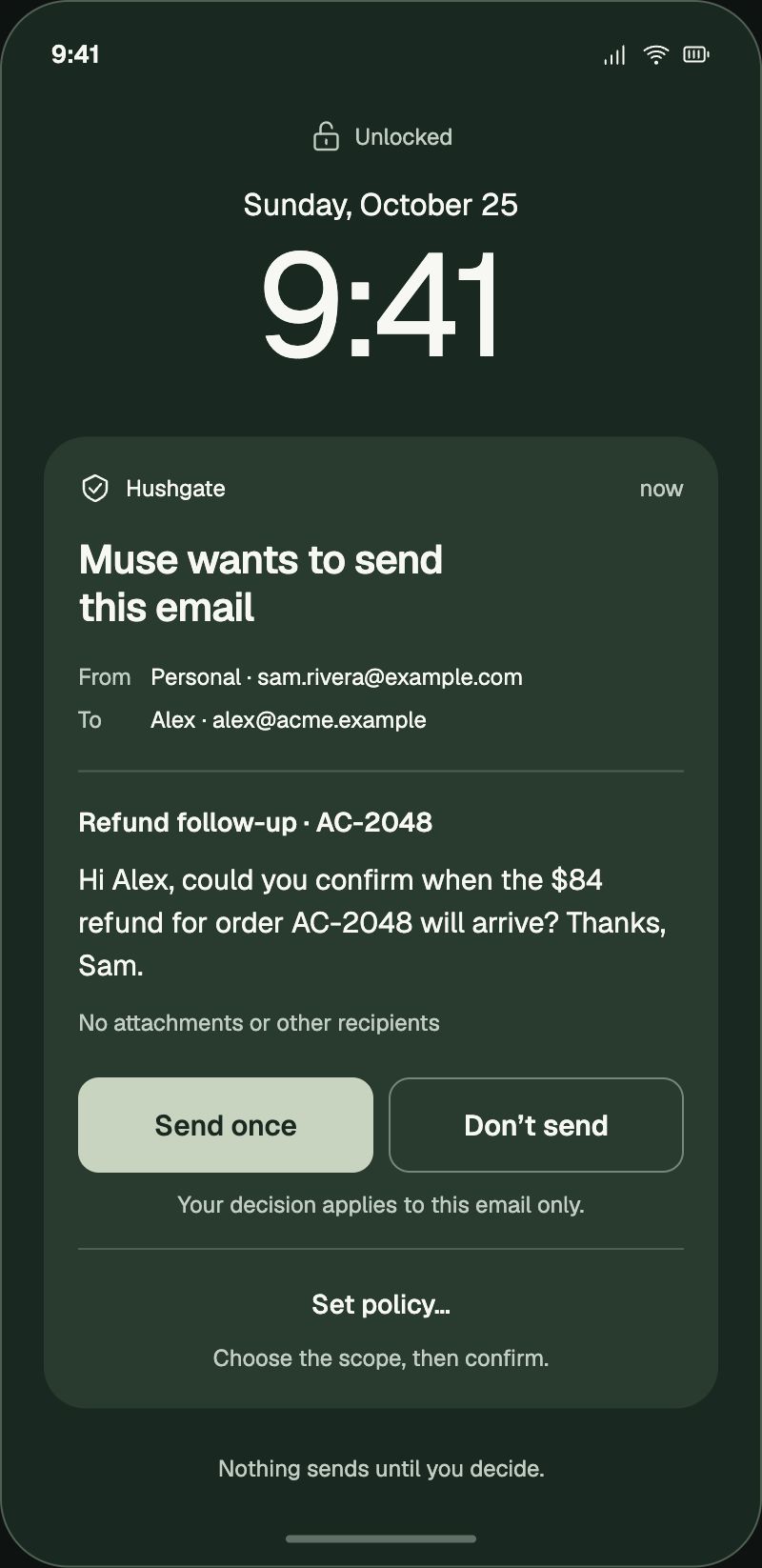
Hushgate is a permission layer between AI agents and the accounts you connect. Agents receive a Hushgate key instead of your service credentials. You set rules for each connection—for example, allowing an agent to read and draft email while requiring your approval before sending.
How Hushgate worksYour accounts.
Your exact rules.
Choose Email, Calendar, or Social accounts. Then choose what AI can do.
Read and draft. Ask before sending.
Interactive example
Your accounts stay yours.
Hushgate keeps your service credentials away from the AI. The AI gets a Hushgate key. Your rules decide which requests pass.
- Connect email, calendar, and social accounts.
- Set a rule for each connection.
- Change or remove access at any time.
Give AI a useful job.
Keep the final say.
Get early access
One access layer
for every AI tool.
Put service access, employee authentication, and API keys in one place. Give every employee and AI agent the right access.
What is Hushgate?
Hushgate is a permission layer between AI agents and the accounts you connect. Agents receive a Hushgate key instead of your service credentials. You set rules for each connection—for example, allowing an agent to read and draft email while requiring your approval before sending.
How Hushgate worksSet access once.
Apply it everywhere.
Select a person or agent. See the service access that Hushgate applies.
Interactive example
Control access without slowing work.
Hushgate gives your company one place for service authentication and API keys. Every request follows company policy before it reaches a service.
- Manage employee and agent access together.
- Keep service credentials out of AI tools.
- Change access from one control layer.